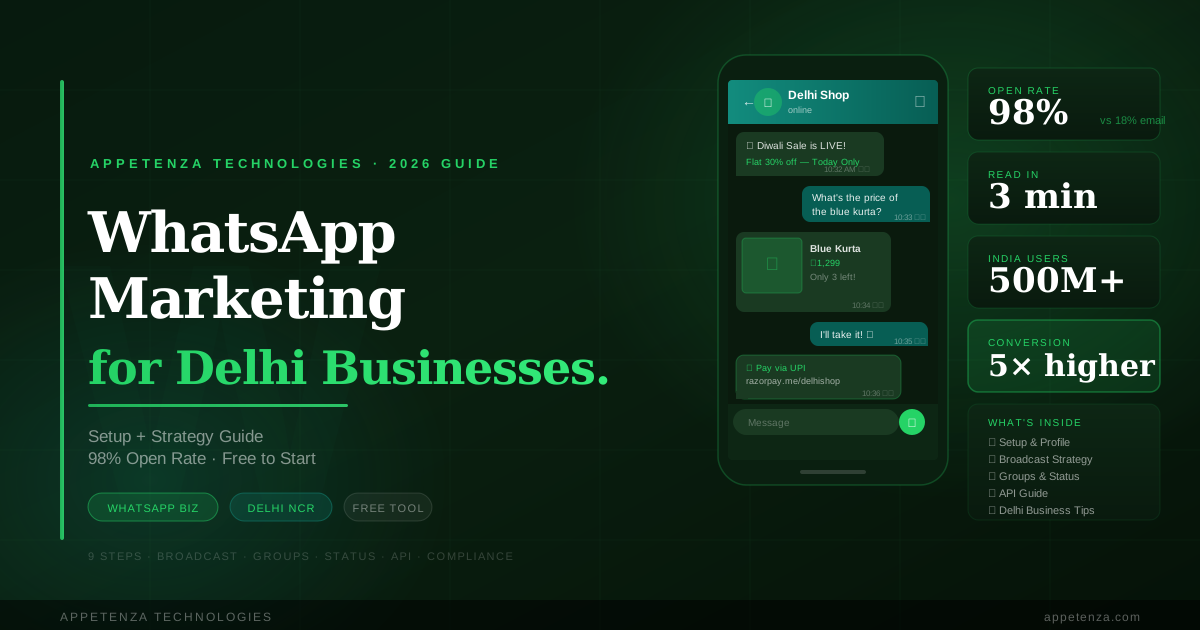
If you run a business in Delhi and you're not using WhatsApp as a marketing channel, you are leaving money on the table every single day. With over 500 million active WhatsApp users in India — and virtually every smartphone owner in Delhi checking the app multiple times a day — WhatsApp is not just a messaging tool. It is the most direct, personal, and cost-effective marketing channel available to any Indian business in 2026.
This guide covers everything you need to know — from setting up WhatsApp Business correctly, to building a contact list, to running campaigns that actually generate sales and enquiries. Whether you run a retail shop in Karol Bagh, a restaurant in Hauz Khas, a clinic in Dwarka, or a services firm in Noida, this strategy works.
Why WhatsApp Marketing Works Exceptionally Well for Delhi Businesses
Email open rates in India average around 15–20%. SMS messages are increasingly ignored. Social media posts reach only 2–5% of your followers organically. WhatsApp messages, on the other hand, have an open rate of over 98% — and most messages are read within 3 minutes of being received.
Think about your own behaviour. When you hear the WhatsApp notification sound, you check it almost immediately. Your customers do the same. No other marketing channel gives you that kind of direct, immediate access to your audience's attention.
For Delhi businesses specifically, WhatsApp marketing has additional advantages. Delhi customers are highly mobile-first, accustomed to transacting on their phones, and already comfortable communicating with businesses via WhatsApp for orders, bookings, and enquiries. In many Delhi markets — from neighbourhood kirana stores to fashion boutiques in Sarojini Nagar — WhatsApp has already replaced phone calls as the primary customer communication channel. The question is whether you're using it strategically or just reactively.
WhatsApp has a 98% open rate. No email, no SMS, no social media post comes close. Your customers will see your message — the only question is whether it's worth seeing.
WhatsApp Personal vs. WhatsApp Business vs. WhatsApp Business API — What's the Difference?
Before diving into strategy, you need to understand the three versions of WhatsApp and which one is right for your business. Using the wrong version will limit what you can do and potentially get your number banned.
WhatsApp Personal
The standard WhatsApp app that everyone uses for personal messaging. Using your personal WhatsApp number for business marketing is strongly discouraged — it lacks business features, risks getting your number reported and banned for spam, and mixes your personal and professional communications in a way that's hard to manage.
WhatsApp Business App (Free)
The free WhatsApp Business app is designed specifically for small businesses. It includes a business profile with address, hours, website, and description; automated greeting and away messages; quick replies for frequently asked questions; product catalogues; and basic broadcast messaging to saved contacts. This is the right starting point for most Delhi small businesses and is completely free to use.
WhatsApp Business API
The WhatsApp Business API is designed for medium and large businesses that need to send high volumes of messages, integrate WhatsApp with their CRM or website, run automated chatbots, and manage multiple agents responding to customers. It requires setup through an official WhatsApp Business Solution Provider (BSP) and involves monthly costs. Businesses like e-commerce stores, hospitals, real estate agencies, and multi-branch retailers typically need the API.
For most Delhi small businesses reading this guide, the free WhatsApp Business app is where you should start. We will focus primarily on this, with guidance on when to upgrade to the API.
Step 1 — Set Up WhatsApp Business Properly
Download the WhatsApp Business app from the Google Play Store or Apple App Store. Use a dedicated business phone number — not your personal number. If you only have one number, you can migrate your personal WhatsApp to WhatsApp Business, but it's better practice to keep them separate.
Complete Your Business Profile
Go to Settings → Business Profile and fill in every field. Your business name should match exactly what appears on your Google Business Profile and website. Add your full address including area and pin code so customers can find you easily. Set your business category accurately — this helps WhatsApp show your profile in relevant searches. Write a compelling business description of up to 256 characters that clearly describes what you offer and who you serve. Add your website URL and email address. Upload a professional profile photo — your logo or a clear photo of your shopfront works well.
Set Up Automated Messages
WhatsApp Business allows you to set three types of automated messages that save time and ensure customers always receive a prompt response.
Greeting Message: Automatically sent to customers who message you for the first time or after 14 days of inactivity. Example: "Namaste! Welcome to [Business Name]. Thank you for reaching out. We'll respond to your message within a few minutes during business hours. How can we help you today?"
Away Message: Sent automatically outside your business hours. Example: "Thank you for messaging [Business Name]. We're currently closed but will respond as soon as we open tomorrow at 10 AM. For urgent matters, please call [number]."
Quick Replies: Saved responses to your most frequently asked questions that you can send with a single tap. Set up quick replies for questions like your address, business hours, pricing, delivery areas, appointment booking process, and payment methods. Use the / shortcut to access them instantly during conversations.
Set Up Your Product Catalogue
The WhatsApp Business catalogue allows you to showcase your products or services directly within the app. Customers can browse your catalogue without leaving WhatsApp and share individual products with others. Add your top 20–30 products or services with clear photos, accurate descriptions, and prices. For a Delhi clothing shop, this might be your bestselling kurtas and dresses. For a restaurant, your most popular dishes. For a services business, your main service packages.
Step 2 — Build Your WhatsApp Contact List the Right Way
The foundation of effective WhatsApp marketing is a quality contact list — people who have explicitly opted in to receive messages from your business. This is both a legal requirement and a practical necessity. WhatsApp actively monitors for spam and will ban numbers that send unsolicited bulk messages. Building an organic, permission-based list protects your number and produces far better results.
Collect Numbers In-Store
Train your staff to ask every customer for their WhatsApp number at the point of sale with a clear value proposition. Don't just say "Can I have your number?" — say "Can I add you to our WhatsApp list? We share exclusive offers, new arrivals, and seasonal discounts only with our WhatsApp customers." Most customers who have had a positive experience will say yes. Add a sign at your billing counter that says "Join our WhatsApp list for exclusive offers — ask our team."
Use a WhatsApp Click-to-Chat Link
WhatsApp allows you to generate a direct chat link that opens a conversation with your business when clicked — without requiring the customer to save your number first. Generate your link at wa.me/91XXXXXXXXXX (replace with your 10-digit number including country code). Add this link to your website, Instagram bio, Facebook page, Google Business Profile, email signature, and any digital ads you run. You can also create a QR code from this link and display it in your shop, on your packaging, visiting cards, and receipts.
Run an Opt-In Campaign
If you have an existing customer database — from previous orders, a loyalty program, or past enquiries — run a one-time opt-in campaign via SMS or email inviting them to join your WhatsApp list. Keep the message simple: "Hi [Name], this is [Business Name] in [area]. We're starting a WhatsApp community for exclusive offers and updates. Reply YES or click here to join: [link]." Only add people who actively respond — never add contacts without permission.
Promote Your WhatsApp on Social Media
Add your WhatsApp click-to-chat link to every Instagram post, story, and reel. Pin a post on Facebook with your WhatsApp link. Run Instagram Stories with a "Message us on WhatsApp" sticker. Many Delhi businesses have grown their WhatsApp list to thousands of contacts purely through consistent social media promotion.
Step 3 — WhatsApp Broadcast Lists — Your Most Powerful Free Tool
The WhatsApp Broadcast feature lets you send a single message to up to 256 contacts at once — and crucially, each recipient receives it as a personal individual message, not as a group message. This means it feels personal and gets significantly higher engagement than group messages. The only requirement is that recipients must have your number saved in their phone — another reason why building a quality opted-in list matters.
How to Create a Broadcast List
Open WhatsApp Business, tap the three dots menu, select New Broadcast, and add the contacts you want to include. Create multiple broadcast lists segmented by customer type — for example, one list for wholesale buyers, one for retail customers, one for VIP customers, and one for new enquiries. Segmentation allows you to send relevant messages to the right audience rather than blasting everyone with the same content.
What to Send on Broadcast Lists
The most effective WhatsApp broadcasts for Delhi businesses follow a simple framework: make the message genuinely useful or valuable to the recipient before asking for anything. Send new product arrivals with photos and prices. Share limited-time offers with a clear expiry date to create urgency. Announce upcoming events, sales, or store changes. Share relevant tips or information related to your industry. Send festival greetings with a relevant offer — Diwali, Eid, Holi, Navratri, and New Year are all excellent opportunities for Delhi businesses.
Broadcast Frequency and Timing
For most Delhi businesses, 2–4 WhatsApp broadcasts per month is the right frequency. Sending more than once a week risks irritating your list and leading to people blocking your number. The best times to send are between 10 AM and 12 PM, or between 6 PM and 8 PM — when people are active on their phones but not in the middle of work. Avoid sending after 9 PM or before 9 AM as this feels intrusive and will generate complaints.
WhatsApp marketing is permission-based by nature. Every person on your list chose to be there. Respect that choice by sending messages worth receiving.
Step 4 — WhatsApp Groups — Build a Community Around Your Business
WhatsApp groups are different from broadcast lists — in a group, all members can see each other and respond, creating a community feel. Used well, a WhatsApp group can become one of the most engaged and loyal customer communities any Delhi business can build. Used poorly, it becomes a chaotic spam group that people leave immediately.
When to Use Groups
Groups work best for businesses that have a natural community element — a fitness studio whose members encourage each other, a school or coaching centre that keeps parents informed, a real estate agency sharing new property listings, a restaurant or food delivery service sharing daily specials, or a wholesale business keeping retailers updated on stock availability. If your business type doesn't naturally lend itself to community conversation, use broadcast lists instead.
Rules for Managing a Business WhatsApp Group
Set clear expectations from the start with a pinned message that explains what the group is for and what kinds of messages are welcome. Only admins should post promotional content — keep member posting restricted or moderated. Respond to customer questions in the group promptly and publicly so all members benefit from the answer. Remove inactive or disruptive members regularly. Keep promotional messages to a maximum of 3–4 per week and balance them with genuinely useful content.
Step 5 — WhatsApp Status — Free Daily Marketing That Most Businesses Miss
WhatsApp Status is the equivalent of Instagram Stories — photos, videos, and text that disappear after 24 hours and are visible to all your contacts who have saved your number. For businesses, this is completely free daily marketing real estate that the vast majority of Delhi shop owners and service businesses never use strategically.
What to Post on WhatsApp Status
Post new product arrivals with photos and prices every time you get fresh stock. Share behind-the-scenes content — your team at work, your kitchen preparing food, new inventory being unpacked. Show customer testimonials and happy customer photos (with permission). Announce daily specials, limited stock alerts, or flash offers. Celebrate festivals and local events with relevant branded content. Post "sold out" updates for popular items — scarcity drives urgency among people who haven't bought yet.
Aim to post 1–3 Status updates per day. This keeps your business consistently visible to your entire contact list without any additional cost or effort beyond a few minutes of your time. Over time, your contacts begin to associate seeing your updates with staying informed about your business — it becomes a habit for them.
Step 6 — WhatsApp for Customer Service and Sales Conversion
Beyond marketing broadcasts and status updates, WhatsApp is an extraordinarily powerful sales conversion tool when used correctly in one-on-one customer conversations. Many Delhi businesses report that converting a customer enquiry on WhatsApp is significantly faster and more effective than via phone call or email.
Respond Fast
Speed of response is the single most important factor in WhatsApp sales conversion. Studies show that responding to a customer enquiry within 5 minutes makes you 100 times more likely to close the sale than responding after an hour. Set up your away message and greeting message to manage expectations, but aim to respond to every enquiry within 15 minutes during business hours. Customers who message on WhatsApp expect a faster response than email — meet that expectation.
Use Voice Notes Strategically
Delhi customers often prefer voice notes to long text messages — they feel more personal, more trustworthy, and easier to send and receive. Use voice notes to explain complex products or services, share personalized recommendations, respond to detailed questions, and build rapport with high-value customers. A 30-second voice note from the business owner themselves can convert a hesitant customer more effectively than three paragraphs of text.
Share Your Catalogue During Conversations
When a customer asks about your products or services, share your WhatsApp Business catalogue directly in the chat. This keeps them engaged within the conversation and makes it easy for them to browse, ask questions about specific items, and place an order without going to your website.
Use Payment Links in Chat
Once a customer decides to purchase, close the sale immediately by sharing a payment link — Razorpay, PayU, Paytm, or a UPI QR code — directly in the WhatsApp conversation. Reducing friction between decision and payment is critical. Every extra step between "I want to buy" and "payment done" is an opportunity for the customer to change their mind.
Step 7 — WhatsApp Business API — When and Why to Upgrade
If your business has grown to the point where you're managing hundreds of customer conversations per day, broadcasting to thousands of contacts, or need to integrate WhatsApp with your CRM, inventory, or booking system — it's time to consider the WhatsApp Business API.
What the API Enables
The API removes the 256-contact broadcast limit entirely, allowing you to send messages to unlimited verified contacts. It enables automated chatbots that handle common enquiries, booking confirmations, order updates, and payment reminders without human intervention. Multiple team members can manage conversations from a shared inbox. You can integrate WhatsApp directly with your website contact forms, CRM systems, and e-commerce platform. You can also send template messages — pre-approved message formats for order confirmations, shipping updates, appointment reminders, and payment receipts.
How to Get the API
You'll need to apply through an official WhatsApp Business Solution Provider (BSP). Popular BSPs in India include Interakt, AiSensy, Wati, Zoko, and Freshchat. Most offer monthly plans starting from ₹2,000–₹5,000 per month depending on message volume and features. Your business needs to have a Facebook Business Manager account and go through a verification process before being approved.
Is the API Right for Your Business?
If you're currently sending fewer than 500 messages per month and managing conversations manually, the free WhatsApp Business app is sufficient. Upgrade to the API when your volume grows beyond what one person can manage, when you need automation, or when you need multiple agents handling the same WhatsApp number simultaneously.
Step 8 — WhatsApp Marketing Strategy for Specific Delhi Business Types
Retail Shops and Fashion Boutiques
Use broadcast lists to send new arrival alerts with photos and prices. Create urgency with "only 3 pieces left" messages. Share festival collection previews exclusively with your WhatsApp list before posting on Instagram. Send personalized birthday and anniversary messages with a special discount code. Use WhatsApp Status to show daily new stock arrivals.
Restaurants and Food Businesses
Share daily specials and limited-time menu items on WhatsApp Status every morning. Send weekend offer broadcasts to your customer list on Thursday and Friday. Use WhatsApp for table reservations and takeaway orders — many Delhi restaurants have completely replaced phone call orders with WhatsApp ordering. Share behind-the-scenes kitchen content and chef specials to build emotional connection.
Healthcare and Wellness Clinics
Use WhatsApp for appointment booking and reminders — send a confirmation message immediately after booking and a reminder 24 hours before the appointment. Share health tips relevant to your specialization weekly to stay top of mind. Send post-appointment follow-up messages to check on patient recovery and build loyalty. Use the API for automated appointment confirmation workflows as your volume grows.
Real Estate Agencies
Create segmented broadcast lists by budget range and property type — buyers looking for 2 BHK flats under ₹80 lakhs in Noida should receive different listings than those looking for villas in Gurugram. Share new property listing videos and virtual tours directly on WhatsApp. Send market updates and price trend information to build credibility as a trusted advisor rather than just a broker.
Professional Services and Consultants
Use WhatsApp to share relevant news and regulatory updates (tax deadline reminders for CA firms, legal updates for law firms, policy changes for insurance advisors). Send monthly newsletters via broadcast. Use WhatsApp for quick client check-ins and document sharing. The personal nature of WhatsApp communication significantly strengthens client relationships in service-based businesses.
Step 9 — WhatsApp Marketing Compliance and Best Practices
WhatsApp has strict policies against spam and unsolicited marketing. Violating these policies can result in your business number being temporarily restricted or permanently banned — which can be devastating if your customer communication relies on WhatsApp. Follow these rules without exception.
Always Get Explicit Opt-In
Never add anyone to your WhatsApp broadcast list or group without their explicit permission. This means they must have actively agreed to receive messages from you — not just given you their number for another purpose. Keep records of how and when each contact opted in.
Always Provide an Easy Opt-Out
Every broadcast message should include a simple way for recipients to opt out. A line at the end of each message like "Reply STOP to unsubscribe" is sufficient. Remove anyone who opts out immediately and never message them again. Respecting opt-outs protects your number's reputation and your relationship with your audience.
Never Buy WhatsApp Contact Lists
Purchased contact lists are a guaranteed path to having your number banned. These contacts have no relationship with your business, haven't opted in, and will report your messages as spam. Build your list organically — it takes longer but produces dramatically better results and carries no risk of account suspension.
Keep Messages Relevant and Valuable
Every message you send should pass a simple test: would my customer be glad they received this? If the answer is no — if it's irrelevant, too frequent, or purely self-promotional with no value — don't send it. The businesses that achieve the best results on WhatsApp are those that treat their customers' attention with respect.
Common WhatsApp Marketing Mistakes Delhi Businesses Make
- Using a personal number for business marketing: Risks ban, mixes personal and professional life, lacks business features
- Adding contacts without permission: The fastest way to get your number reported and banned
- Sending too frequently: More than 4–5 broadcasts per month starts to feel intrusive for most audiences
- Sending only promotional content: Mix offers with useful content, tips, and genuine value to maintain engagement
- Ignoring WhatsApp Status: Free daily marketing that most businesses completely overlook
- Slow response times: Responding to enquiries hours later on WhatsApp kills conversion rates
- Sending messages at wrong hours: Never send marketing messages before 9 AM or after 9 PM
- No catalogue set up: Missing an easy opportunity to showcase products within conversations
- Not segmenting contacts: Sending the same message to all contacts regardless of their interests or buying history
Measuring WhatsApp Marketing Performance
Unlike email or social media, WhatsApp doesn't offer detailed analytics in the free Business app. However, you can track performance through a few practical methods. Monitor message read rates by checking the double blue tick confirmation on broadcasts — if a large percentage of your contacts are not reading messages, it's a sign your content needs improvement or your list has grown stale. Track how many enquiries and orders your business receives that originate from WhatsApp by asking new customers how they found you. If you upgrade to the API, most BSP platforms offer detailed analytics dashboards covering message delivery, read rates, response rates, and conversation outcomes.
WhatsApp + Your Other Marketing Channels — How It All Fits Together
WhatsApp marketing works best as part of an integrated digital marketing strategy, not in isolation. Use your Google Business Profile to drive initial discovery — when a customer finds you on Google Maps and calls or visits, that's your opportunity to add them to your WhatsApp list. Use Instagram and Facebook to grow your WhatsApp contact list by consistently promoting your WhatsApp link. Use your website to capture WhatsApp opt-ins through a click-to-chat button on every page. Use WhatsApp to convert and retain the customers that all your other channels attract. Each channel serves a different role in the customer journey — Google and Instagram bring new customers in, WhatsApp keeps them coming back.
WhatsApp Marketing Checklist for Delhi Businesses
- Download WhatsApp Business app on a dedicated business number
- Complete business profile with address, hours, description, and logo
- Set up greeting message, away message, and at least 10 quick replies
- Add top 20–30 products or services to your catalogue with photos and prices
- Generate your click-to-chat link and WhatsApp QR code
- Add WhatsApp link to your website, Instagram bio, and Google Business Profile
- Display WhatsApp QR code at your shop billing counter
- Start collecting opt-in contacts in-store and online
- Create segmented broadcast lists by customer type
- Plan a monthly content calendar — 2 to 4 broadcasts per month
- Post WhatsApp Status 1–3 times daily
- Set a response time target of under 15 minutes during business hours
- Add opt-out instructions to every broadcast message
- Review and clean your contact list every 3 months
Final Thoughts
WhatsApp marketing is not the future of customer communication for Delhi businesses — it is the present. Your customers are already on WhatsApp. Your competitors are increasingly using it. The businesses that are building structured, permission-based WhatsApp marketing systems right now are building a direct communication channel with their customers that no algorithm can reduce, no platform can restrict, and no competitor can replicate.
Start with the basics. Set up your WhatsApp Business profile properly today. Add your first 50 contacts with permission. Send your first broadcast this week. Post your first Status update tomorrow morning. Each small step compounds into a powerful customer relationship engine that will drive revenue for your business for years to come.
In Delhi's crowded market, the business that stays closest to its customers wins. WhatsApp is how you stay close — personally, directly, and at scale.
At Appetenza Technologies, we help Delhi businesses build complete digital marketing strategies that integrate WhatsApp, SEO, social media, and website performance into a single, cohesive system. If you'd like expert guidance on setting up and scaling your WhatsApp marketing, we'd love to help.
Talk to Appetenza Technologies — Free Digital Marketing Consultation →